

Who This Guide Is For
If you're an agency or developer who has outgrown shared hosting or wants to escape the rising costs of managed WordPress hosting, you've likely decided to self-manage a VPS. The next question is: which control panel will make server management painless while giving you the WordPress-specific features you need?
This comparison is designed for teams running multiple WordPress sites on DigitalOcean, Linode, Vultr, or AWS who need automated backups, staging environments, SSL certificates, and multi-site support, without the bloat and expense of cPanel.
Why Control Panels Matter for WordPress VPS Hosting
A control panel sits between you and your server, automating tasks like provisioning sites, managing databases, configuring NGINX, renewing SSL certificates, and scheduling backups. Without one, you're writing Bash scripts and SSH-ing into servers at midnight. With the right panel, you can deploy a new WordPress site in under two minutes.
The panels we're comparing today, SpinupWP, RunCloud, and Pivotlar, all take a "bring your own server" approach. You rent a VPS from a cloud provider and connect it to the control panel. This keeps hosting costs transparent and gives you full control over your infrastructure.
Evaluation Criteria: What Actually Matters
We evaluated each panel on criteria that matter most to WordPress professionals:
- WordPress-specific features: Does it understand WordPress file structure, handle WP-CLI, support multisite, and offer staging environments?
- Automated backups: Are backups built in or do you need a third-party plugin? Can you restore with one click?
- SSL automation: Does it provision and renew Let's Encrypt certificates automatically, including for wildcard domains?
- Multi-server and multi-site management: Can you manage dozens of sites across multiple servers from one dashboard?
- Pricing model: Flat rate, per-server, or per-site? Are there hidden costs?
- Support quality: Do you get email support, live chat, or community forums?
- Learning curve: Can a junior developer onboard in an afternoon, or does it require deep server knowledge?
Head-to-Head Comparison
Here's how the three panels stack up across the features that matter most:
SpinupWP — $12/server/month, no free tier
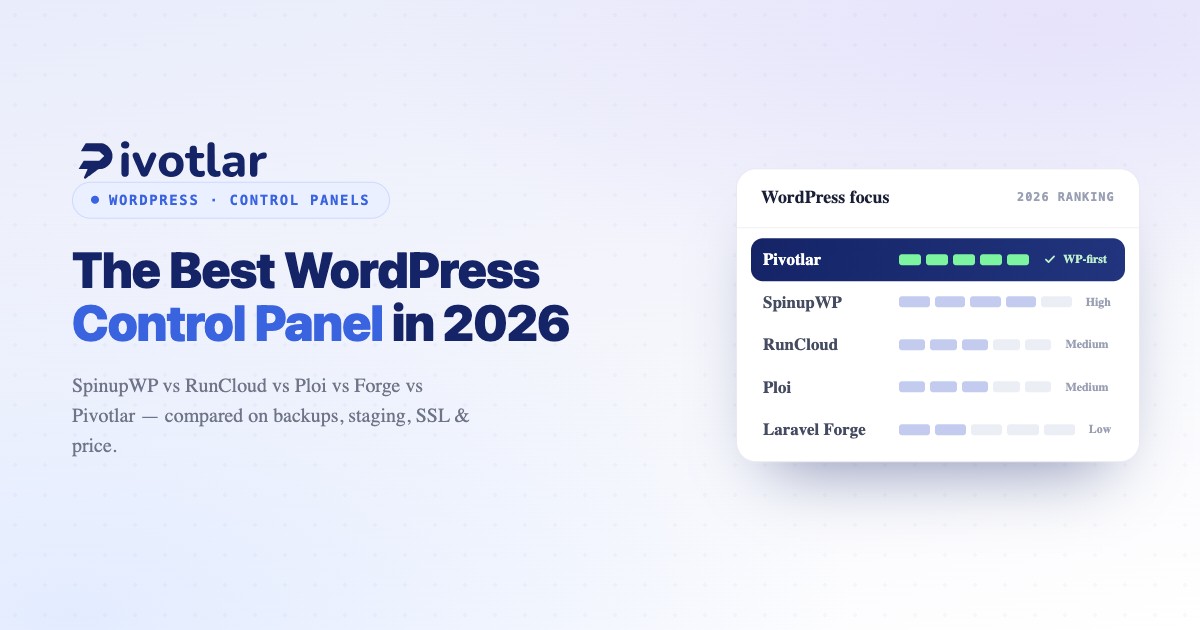
- WordPress focus: High
- Built-in backups: Yes (S3/SFTP)
- One-click staging: Yes
- SSL automation: Let's Encrypt
- Multisite support: Yes
- WP-CLI access: Yes
- Multi-server: Yes
- Best for: WP minimalists
RunCloud — $9/server/month, free tier for 1 server
- WordPress focus: Medium
- Built-in backups: Add-on ($2/mo)
- One-click staging: Yes
- SSL automation: Let's Encrypt
- Multisite support: Yes
- WP-CLI access: Yes
- Multi-server: Yes
- Best for: Broad PHP users
Pivotlar — $12/month, 14-day trial
- WordPress focus: Very high
- Built-in backups: Yes (automated)
- One-click staging: Yes
- SSL automation: Let's Encrypt + wildcard
- Multisite support: Yes (native)
- WP-CLI access: Yes
- Multi-server: Yes
- Best for: WP agencies
Detailed Breakdown by Panel
SpinupWP: The WordPress Purist
SpinupWP is purpose-built for WordPress. It provisions servers with optimized NGINX configs, installs Redis object caching by default, and includes automated backups to S3 or SFTP. The interface is clean and opinionated. There are fewer knobs to turn, which is a feature, not a bug.
Strengths: Excellent for freelancers and small agencies running 5–20 WordPress sites. Staging environments are instant. Support is responsive via email.
Limitations: No built-in CDN management. If you need to run Node.js apps or Laravel alongside WordPress, you'll need a second panel or manual configuration.
RunCloud: The Flexible Generalist
RunCloud supports WordPress, Laravel, Symfony, and custom PHP applications. It's the Swiss Army knife of server panels, extremely flexible but less opinionated about WordPress best practices.
Strengths: The free tier (one server, unlimited sites) is unbeatable for testing. Backups are available as a $2/month add-on. Great documentation and active community forums.
Limitations: WordPress-specific conveniences (like staging or integrated backup restoration) require more manual steps than dedicated WP panels.
Pivotlar: The WordPress-First Platform
Pivotlar is designed exclusively for WordPress. Every feature, from automated daily backups with one-click restore to built-in staging environments to native WordPress multisite support, assumes WordPress is your workload.
Strengths: Integrated backup system stores snapshots to S3 or Backblaze B2 and lets you restore entire sites or individual files in seconds. SSL automation includes wildcard certificates for multisite subdomain installs. The dashboard is optimized for managing 50+ WordPress sites across multiple servers.
Limitations: If you need to run non-WordPress applications, Pivotlar isn't the tool. It's laser-focused on WordPress and makes no apologies for it.
Pricing Transparency: What You Actually Pay
Every panel reviewed here uses a "bring your own server" model. You pay the control panel fee plus your VPS hosting costs. Here's what a typical setup costs monthly:
- VPS server (2GB RAM, DigitalOcean): $12/month
- Control panel (average): $10–15/month
- Backup storage (1TB on Backblaze B2): $5/month
- Total: $27–32/month
That total covers a server hosting 10–20 WordPress sites. Compare this to managed WordPress hosting at $25–50 per site, and the economics are clear: self-managed VPS hosting with a control panel is 10–20x cheaper at scale.
Is cPanel Worth It in 2026?
Short answer: not for WordPress. cPanel pricing has increased dramatically since the 2019 licensing changes, and its feature set is overkill for WordPress hosting. Modern control panels provision optimized NGINX + PHP-FPM stacks, handle Let's Encrypt automation, and integrate Git workflows, all areas where cPanel lags behind.
If you're migrating from cPanel, expect a learning curve, but the performance gains and cost savings make the switch worthwhile.
Decision Flow: Which Panel Should You Choose?
Use this quick guide to pick the right tool:
- WordPress-only, fewer than 10 sites? → SpinupWP
- Want a free tier to test? → RunCloud
- Need to run WordPress alongside Laravel or other PHP apps? → RunCloud
- Managing 20+ WordPress sites for clients? → Pivotlar
- Want backups + staging built in without add-ons? → Pivotlar or SpinupWP
Frequently Asked Questions
Do I still pay for a server with a control panel?
Yes. Control panels do not include hosting. You rent a VPS from DigitalOcean, Linode, Vultr, AWS, or another provider (typically $10–40/month depending on resources) and connect it to the control panel. The panel fee is separate and covers the software that manages your server.
What's the best control panel for WordPress agencies?
If you're managing client sites at scale, Pivotlar offers the most complete WordPress-specific feature set, with automated backups, staging, wildcard SSL, and native multisite support built in. SpinupWP is a strong option for smaller portfolios, while RunCloud suits teams that also need to support non-WordPress PHP workloads.
Can I migrate from cPanel to these panels?
Yes, but it requires manual migration. All three panels offer SSH access and WP-CLI, so you can export databases and files from cPanel and import them into your new VPS. SpinupWP and Pivotlar both provide migration guides tailored to WordPress.
Final Verdict
There is no single "best" WordPress control panel. The right choice depends on your workload, team size, and feature priorities. SpinupWP is ideal for WordPress purists who want simplicity. RunCloud excels at flexibility for mixed PHP stacks and offers the only genuine free tier. And Pivotlar delivers the most comprehensive WordPress-specific feature set for agencies managing dozens of client sites.
If WordPress is your primary business and you need backups, staging, SSL, and multisite support built in without add-ons or plugins, Pivotlar offers the most complete solution. For teams running 5–10 sites with simpler needs, SpinupWP provides a streamlined experience at a lower price point.
Whichever panel you choose, the move from managed hosting or cPanel to self-managed VPS hosting is a strategic upgrade that pays dividends in performance, flexibility, and cost savings.