

Introduction to Multi-Layer Caching
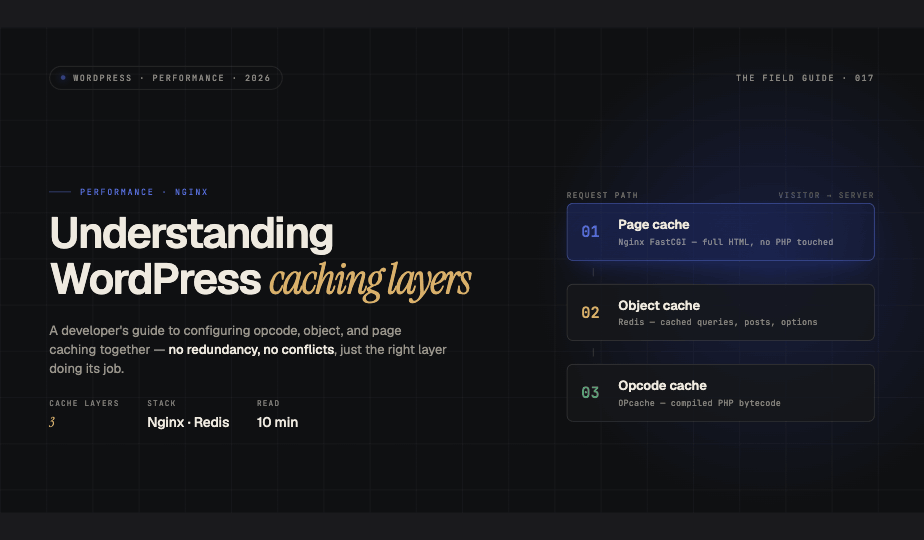
WordPress performance optimization relies on understanding how different caching layers complement each other. Many developers implement caching solutions without fully grasping how page caching, object caching, and opcode caching interact, leading to redundant configurations, conflicts, or missed optimization opportunities.
This guide explains each caching layer's role and shows you how to configure them properly on Nginx-based WordPress installations. By the end, you'll know which strategies deliver the biggest impact for your specific site type and traffic patterns.
The Three Caching Layers Explained
Opcode Caching with OPcache
OPcache sits at the PHP level and caches compiled PHP bytecode in memory. When WordPress executes PHP files, the interpreter normally compiles human-readable code into machine-executable opcodes on every request. OPcache stores these compiled opcodes, eliminating repetitive compilation overhead.
This is your foundation layer, it benefits every PHP application regardless of architecture. OPcache reduces CPU usage and dramatically improves PHP execution time with minimal configuration.
Object Caching with Redis or Memcached
Object caching stores the results of expensive database queries and computed data in memory. WordPress makes dozens of database calls per page load, retrieving posts, user data, options, and taxonomy information. An object cache stores these results so subsequent requests avoid database round trips.
Redis and Memcached both serve as object cache backends, with Redis offering additional features like data persistence and built-in data structures. The WordPress object cache API provides a standardized interface for plugins and themes to store and retrieve cached data.
Page Caching with Nginx FastCGI Cache or Plugins
Page caching stores complete HTML output for entire pages. When a visitor requests a cached page, the server delivers pre-rendered HTML without touching PHP or MySQL. This is the highest-impact optimization for traffic spikes and high-volume sites.
Page caching can happen at multiple levels: Nginx FastCGI cache, reverse proxies like Varnish, or WordPress plugins like WP Super Cache. For Nginx-based setups, FastCGI cache provides excellent performance with minimal overhead.
Configuration Strategy: Building From Bottom Up
Step 1: Configure OPcache
Start with OPcache since it benefits all PHP execution. Edit your php.ini file with these production-ready settings:
opcache.enable=1
opcache.memory_consumption=256
opcache.interned_strings_buffer=16
opcache.max_accelerated_files=10000
opcache.validate_timestamps=0
opcache.save_comments=1
opcache.fast_shutdown=1
Setting validate_timestamps=0 in production prevents OPcache from checking file modification times on every request. You'll need to manually flush the cache after deployments using opcache_reset() or by restarting PHP-FPM.
Step 2: Implement Object Caching with Redis
Install Redis and the PHP Redis extension, then add a persistent object cache drop-in to WordPress. Place this configuration in your wp-config.php:
define('WP_REDIS_HOST', '127.0.0.1');
define('WP_REDIS_PORT', 6379);
define('WP_REDIS_DATABASE', 0);
define('WP_CACHE_KEY_SALT', 'yoursite.com:');
Install a plugin like Redis Object Cache or use the object-cache.php drop-in directly. Object caching significantly reduces database load but doesn't eliminate PHP execution, you're still processing WordPress core and plugin code on each request.
Step 3: Add Page Caching with Nginx FastCGI
Configure Nginx to cache complete responses from PHP-FPM. Add this to your Nginx server block:
fastcgi_cache_path /var/cache/nginx levels=1:2 keys_zone=WORDPRESS:100m inactive=60m max_size=1g;
fastcgi_cache_key "$scheme$request_method$host$request_uri";
fastcgi_cache_use_stale error timeout invalid_header updating http_500;
fastcgi_cache_valid 200 60m;
fastcgi_cache_bypass $skip_cache;
fastcgi_no_cache $skip_cache;
Define cache bypass rules to exclude logged-in users, POST requests, and dynamic pages:
set $skip_cache 0;
if ($request_method = POST) { set $skip_cache 1; }
if ($query_string != "") { set $skip_cache 1; }
if ($request_uri ~* "/wp-admin/|/wp-json/|/cart/|/checkout/") { set $skip_cache 1; }
if ($http_cookie ~* "wordpress_logged_in") { set $skip_cache 1; }
Avoiding Conflicts and Redundancy
The key to multi-layer caching is understanding what each layer caches and when it applies. Common mistakes include using multiple page caching solutions simultaneously or expecting object caching to help when page caching already serves requests.
Page caching bypasses WordPress entirely, making object caching irrelevant for cached pages. However, object caching remains critical for cache misses, logged-in users, and administrative interfaces where page caching doesn't apply.
Never disable OPcache thinking it conflicts with other layers, it operates independently and always improves performance. Similarly, don't implement both Redis and Memcached for object caching unless you're using them for different purposes.
Choosing the Right Strategy by Site Type
High-Traffic Marketing Sites
Prioritize page caching for anonymous visitors. Configure aggressive FastCGI cache TTLs and implement cache warming. Object caching provides minimal benefit when most traffic hits cached pages.
Membership and E-commerce Sites
Focus on object caching since logged-in users bypass page caching. Redis works well for session storage and cart data. Implement selective page caching for product listings and category pages viewed by anonymous users.
Content Platforms with Frequent Updates
Use shorter page cache TTLs and implement smart cache invalidation. Object caching becomes more valuable here since cache misses happen frequently. Consider implementing cache warming after publishing new content.
Monitoring and Optimization
Track cache hit ratios to validate your configuration. Redis provides INFO stats to show keyspace hits and misses. Nginx logs cache status with the $upstream_cache_status variable. OPcache statistics are available through opcache_get_status().
Adjust TTLs based on your content update frequency and traffic patterns. Start conservative and increase cache durations as you validate that invalidation works correctly.
Conclusion
Effective WordPress caching requires understanding how opcode, object, and page caching layers complement each other. Start with OPcache as your foundation, add object caching to reduce database load, and implement page caching for maximum impact on anonymous traffic. Configure each layer deliberately based on your site's specific requirements rather than enabling every caching option available.